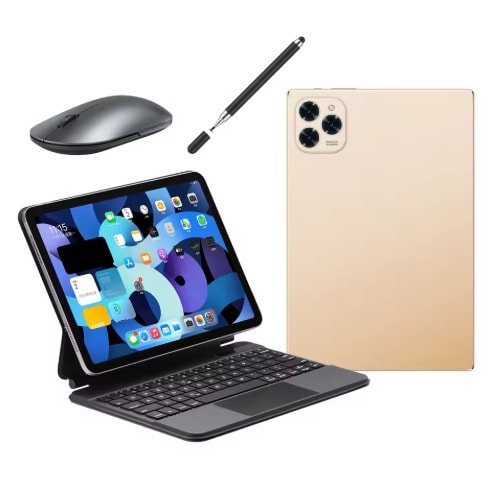
Android Kidsby, 10.2” with shockproof case, pencil, earphones & extra toys for kids, WIFI+Cellular.
Kidsby 10.2” is a rugged, child-friendly tablet built for learning and play. It ships with a shockproof bumper case, a kid-safe stylus (pencil), wired earphones, and a small bundle of educational toys — and supports both Wi-Fi and Cellular (4G LTE) so kids can learn and stream on the go. Designed for durability, easy parental controls, and long battery life, Kidsby keeps screen time safe and fun.
KidsZone150In StockSpecifications
Model Name: Kidsby 10.2″ (2025)
SKU Example: KDBY-102-CP-GLX-0007
Display: 10.2-inch IPS LCD, 1280 × 800, anti-glare
Processor: Quad-core CPU (ARM-based), optimized for education apps
RAM: 3 GB
Storage: 32 GB internal (approx. 24 GB user available)
Expandable Storage: microSD up to 256 GB
Operating System: Kids-focused Android with parental control layer
Cellular: Wi-Fi + Cellular (4G LTE), nano-SIM slot
Wi-Fi: 802.11 a/b/g/n/ac (2.4GHz + 5GHz)
Bluetooth: Bluetooth 5.0
Cameras: Front 2 MP (video calls), Rear 5 MP (photos & apps)
Audio: Stereo speakers, 3.5 mm headphone jack (earphones included)
Battery: 6,000 mAh — 8–10 hours mixed use
Charging: USB-C (charger included)
Sensors: Accelerometer, proximity
Durability: Shockproof silicone bumper case included
Stylus: Kid-safe stylus (pencil) included
Included Accessories: Case, stylus, earphones, micro-toys, USB-C cable, charger, quick-start guide
Dimensions: ~245 × 170 × 14 mm (with case)
Weight: ~550 g (with case and accessories)
Parental Controls: Built-in Family app — screen limits, app whitelist/blacklist, content filters
Warranty: 12 months (battery & accessories 6 months)
Safety: Non-toxic silicone case; child-safety compliant
Box Contents: Tablet, case, stylus, earphones, charger & cable, quick-start guide, toy bundle
Manufacturer Notes: Cellular activation requires a valid SIM plan & APN setup; features may vary slightly by region
Frequently Asked Questions
Does the tablet require a SIM card for internet access?
No — the tablet works over Wi-Fi out of the box. If you want internet access without Wi-Fi, insert a nano-SIM and activate a cellular plan (supports 4G LTE; regional bands vary).
Is parental control easy to set up?
Yes — the Kidsby ships with a preinstalled Family app. During setup, create a parent account and child profile to set daily screen time limits, app blacklists/whitelists, and content filters. You can also remotely manage settings if you enable the parent remote management feature.
Can the case or accessories be replaced if lost or damaged?
Yes. Replacement bumpers, styluses, and earphones are available as spare parts from our accessories store. Contact support with your SKU (example: KDBY-102-CP-GLX-0007) to order parts or check warranty coverage.
SKU: KDBY-102
Available Colors
Sky BlueBubblegum PinkLime GreenSunshine YellowLavender PurpleCherry RedPrice Options
variant:150 KYD